Splitwise has been the default answer to "what app should we use to split this" for over a decade. It is genuinely good software with a huge user base, so there is a real chance the people you split with already have it. Tabb takes the opposite design bet: no account, no setup, open the app and start splitting. This page compares the two fairly so you can pick the right one, not just the most famous one.
The core difference: friction vs familiarity
Splitwise is built around an account and a persistent ledger. You sign in, your friends sign in, and the app keeps a running balance between you that lasts for months or years. That model is excellent for roommates and couples who settle up over time. The cost is friction: everyone has to create an account before they can take part, and in 2026 the free tier meters how many expenses you can add per day and shows ads.
Tabb is built around speed and zero setup. There is no signup for you and no signup for your friends. You create a group, add expenses as they happen, and the balances update live. Friends who do not have Tabb can still be added manually, so nobody is blocked from joining the split. The trade-off is that Tabb is iPhone only, and the free plan covers one group rather than unlimited groups.
Quick take: If your split is a dinner, a trip, or a one-off where you just want to settle fast, Tabb's no-signup flow wins on speed. If you are tracking shared life with the same people indefinitely across mixed phones, Splitwise's account model is built for exactly that.
See them side by side
 Tabb
Tabb
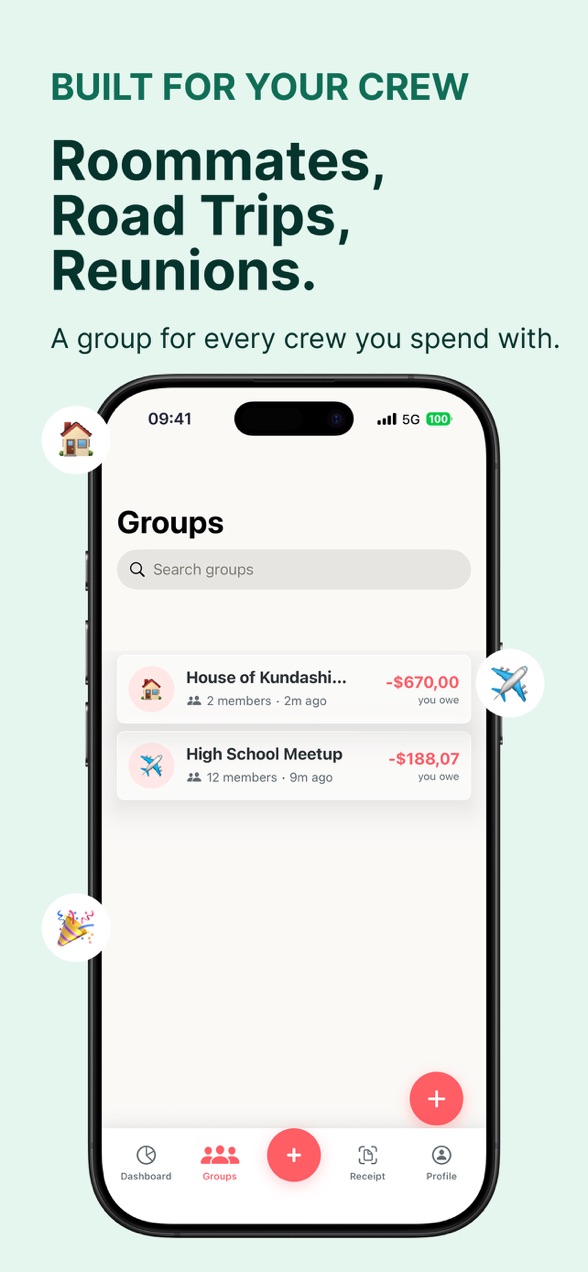
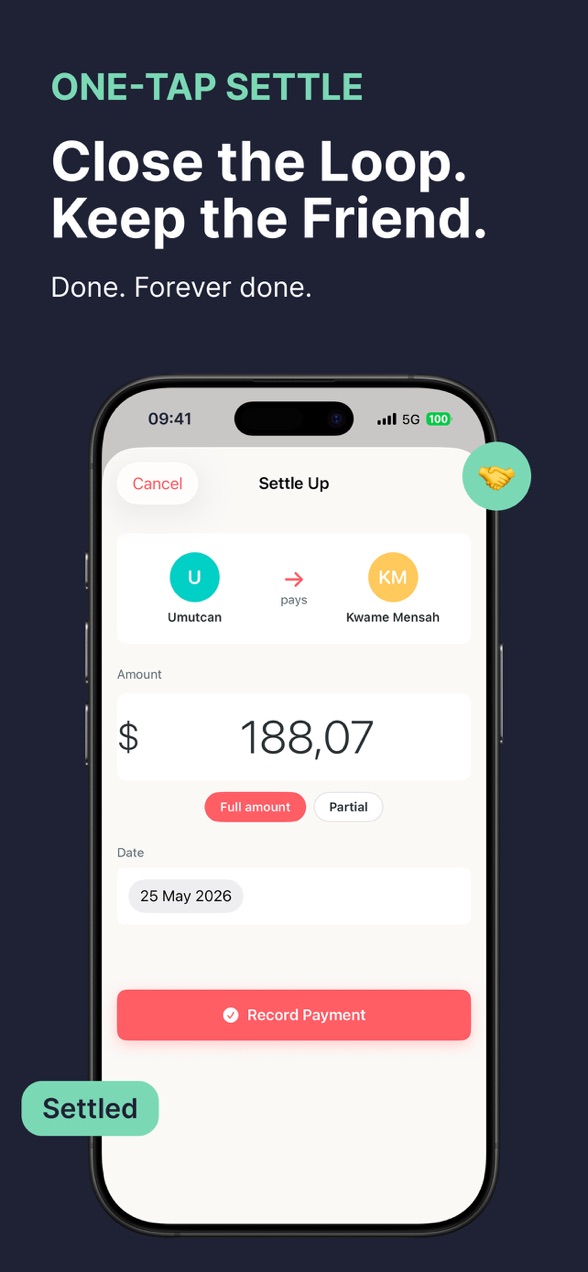
Open to a live group balance, settle in one tap. No login screen first.
 Splitwise
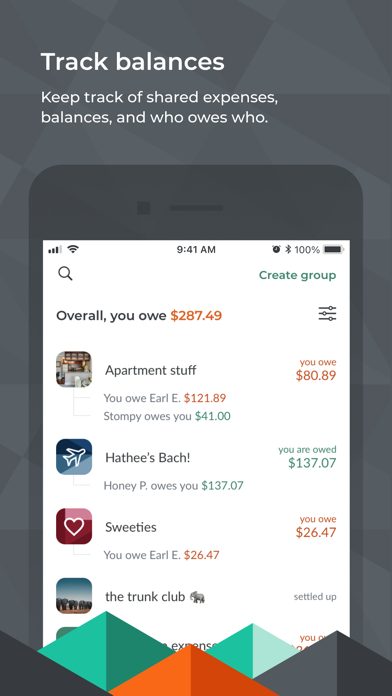
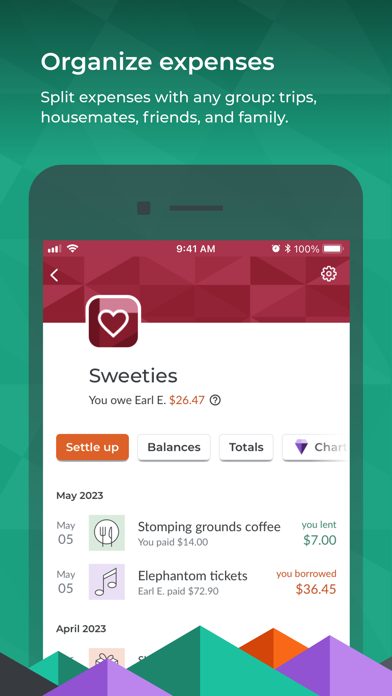
A mature, full-featured ledger, behind an account and a daily free cap.
Pricing, honestly
Neither app needs to be paid to be useful, but the paid tiers are priced very differently. Splitwise Pro is cheaper if you pay yearly. Tabb's headline price is a weekly option, which is expensive if you keep it long term, so if you go Pro on Tabb the annual plan is the one to compare.
Tabb Pro- Unlimited groups
- Receipt scanning (OCR)
- Spending analytics
- Data export
- Billed through your Apple ID, cancel anytime
Splitwise Pro- Removes the daily expense limit
- Ad-free
- Receipt scanning, charts, currency conversion
- Receipt storage and data export
Pricing for Splitwise Pro is tiered and varies by region and account, so treat these as current US ballpark figures rather than a fixed quote. The honest summary: Splitwise is cheaper per year if you want a paid plan, while Tabb's free tier is more generous day to day because it never caps your expenses or shows ads.
Where each one is stronger
🟢 Tabb is better when
- You want to split right now with no account and no setup
- Some people in the group will not install anything
- You hate ads and daily limits on a free app
- Your group is on iPhone and you value a fast, clean flow
🔵 Splitwise is better when
- You track ongoing balances with the same people for months
- Your group is split across iPhone, Android, and the web
- You want many groups for free at once
- Everyone is happy to keep an account
Who should use which
Pick Tabb for trips, dinners, group events, and roommates who want the lowest possible friction and an all-iPhone group. It is the better choice when getting started fast matters more than a years-long shared ledger, and when you would rather not ask everyone to sign up. If you want the deeper background, see our guides on splitting bills on a group trip and splitting a restaurant bill.
Pick Splitwise when the group is mixed-platform, when you need unlimited groups on the free tier, or when a long-running balance between the same people is the whole point. It is a mature, capable app, and the daily cap only bites if you log a lot of expenses in one sitting. We even listed it first in our roundup of Splitwise alternatives for a reason: it set the standard the rest of us are measured against.
Want the no-signup approach? Tabb is free to start and there is nothing to set up.