Home / Compare / Tricount
App comparison

Tabb vs Tricount

Tricount is a European favorite for trip expenses, now owned by the bank bunq and completely free. Tabb stays independent and signup-free. Here is how the two compare and which suits you.

By the Tabb teamJune 11, 20268 min read
Tabb app icon Tabb Split bills with friends, no signup
VS
Tricount app icon Tricount A bunq-owned splitter, free with optional banking integration

Tricount is fully free and great for European trips, but it now sits inside the bunq banking world. Tabb stays a standalone, no-signup splitter. The decision is really about how much app you want around your splits.

🟢 Choose Tabb

You want a simple, independent splitter with no account and no banking ties, plus receipt OCR and analytics, on iPhone.

🔵 Choose Tricount

You want a completely free app with no paid tier, are happy in the bunq ecosystem, and like the option of auto-capturing card spending.

Tabb vs Tricount at a glance

FeatureTabbTricount
Account / signupNone, open and splitAccount-based since the bunq relaunch
PlatformsiPhoneiOS, Android
Paid tierFree, with optional ProFully free, Premium discontinued
AdsNoneNone
Receipt scanning (OCR)Yes (Pro)Not a core feature
Spending analyticsYes (Pro)Basic totals
Bank card auto-captureNoYes, via the free bunq card
Groups on free tier1 groupUnlimited
Owned byHorus Studios (independent)bunq (a bank)
Add friends without the appYes, add them manuallyShare a link to the tricount

Tricount has been a go-to for splitting trip costs in Europe for years, with a large and loyal user base. Since being acquired by the Dutch bank bunq, it has become completely free, dropping its old Premium tier, and now offers an optional tie-in with a free bunq card that can add your card spending to a tricount automatically. Tabb takes a narrower, more independent path: just split bills, no account, no bank attached. Here is the fair comparison.

The big difference: a splitter vs a banking on-ramp

Tricount today is excellent value, it costs nothing and its former paid features are now free. The trade-off is direction: under bunq, the app increasingly nudges you toward an account and the wider banking product, and new signups are provisioned a free bunq account. For some people that is a bonus (automatic expense capture from a card). For others it is more than they want from a tool that just divides a dinner bill.

Tabb deliberately stays small. There is no signup, no bank, and no account to manage. You open it, split, and settle. The cost of that simplicity is that Tabb is iPhone-first and its free plan covers one group, while Tricount is cross-platform and gives you unlimited groups for free.

🏦

Worth knowing: Tricount's account model and web availability changed with the bunq relaunch, so if a no-account flow matters to you, it is worth checking the current app before you commit. Tabb's no-signup model is fixed by design.

See them side by side

Tabb icon Tabb

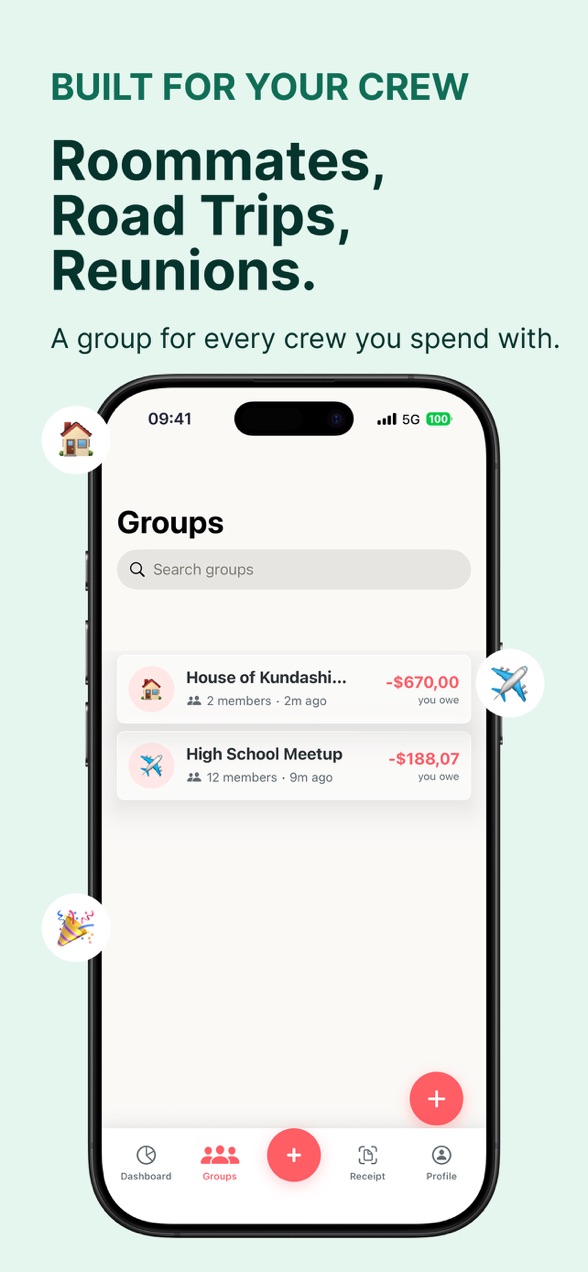
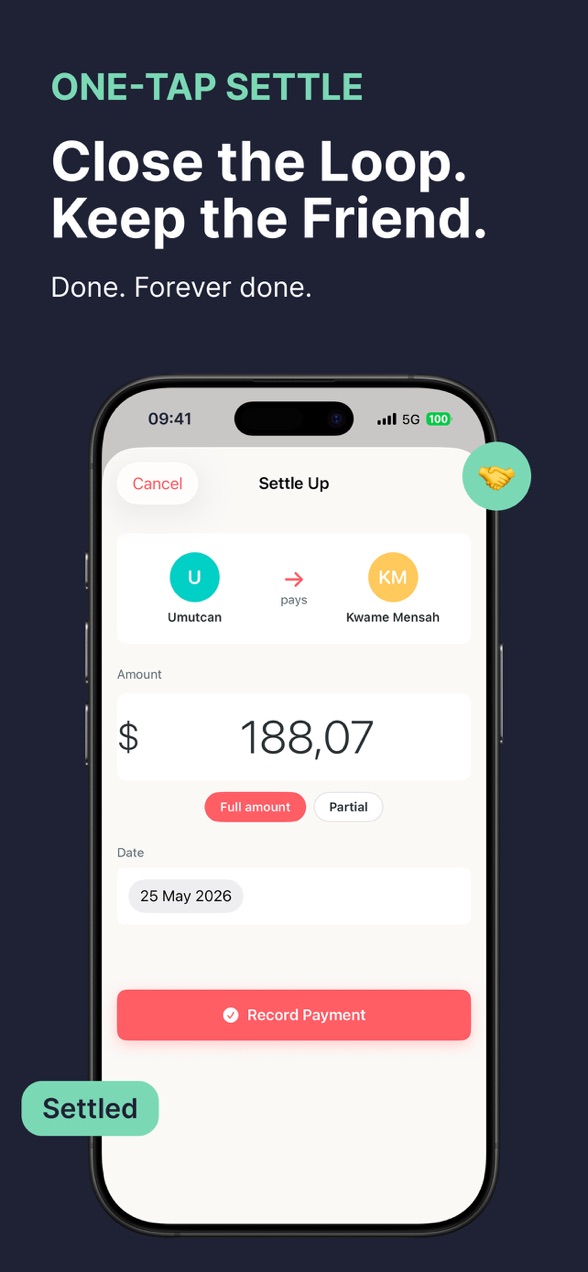
Tabb group balances screenTabb settle up screen

An independent splitter: no account, no bank, no ads.

Tricount icon Tricount

Tricount app icon

Free and cross-platform, now part of the bunq banking ecosystem.

Pricing

This one is simple. Tricount has no paid tier at all anymore, so on raw price it is unbeatable. Tabb is free for one group, with an optional Pro upgrade for power features Tricount does not focus on, like receipt OCR and analytics.

Tabb Tabb
Free: one group, unlimited expenses, no ads
Pro: $4.99 / week or $79.99 / year
  • Unlimited groups
  • Receipt scanning (OCR)
  • Spending analytics
  • Data export
Tricount Tricount
Free: unlimited groups, no ads
$0, Premium discontinued
  • Unequal and custom splits
  • Multi-currency
  • Optional bunq card auto-capture
  • Some former Premium features were retired

Where each one is stronger

🟢 Tabb is better when

  • You want a standalone splitter with no account or bank
  • You want receipt OCR and real spending analytics
  • You prefer an indie app over a bank-owned one
  • Your group is on iPhone

🔵 Tricount is better when

  • You want a fully free app with no paid tier
  • Your group mixes iPhone and Android
  • You like auto-capturing card spending via bunq
  • You want unlimited free groups

Who should use which

Choose Tricount if price is everything and you are comfortable in, or curious about, the bunq ecosystem, especially for European group travel where it is well established. Choose Tabb if you want a focused tool that just splits bills with no account and no banking attached, and you value receipt OCR and analytics on iPhone. If you are weighing the wider field, our roundup of bill-splitting alternatives puts both in context, and you can try Tabb with nothing to set up.


All comparisons

Tabb vs Tricount: FAQ

Is Tricount free now?

Yes. Since the bunq acquisition, Tricount is completely free and its old Premium tier has been discontinued, with most former paid features now available to everyone. A few lesser-used Premium features were retired in the process.

Does Tabb connect to a bank like Tricount?

No. Tabb is a standalone splitter with no bank attached and no account. Tricount, under bunq, offers an optional free bunq card that can add your card spending to a tricount automatically.

Does Tricount require an account?

Since the bunq relaunch, Tricount is account-based and new signups are provisioned a free bunq account. If a no-account flow matters to you, check the current app, as this changed with the relaunch. Tabb requires no account at all.

Which has better expense features?

Tricount covers the essentials well, including unequal splits and multi-currency, all free. Tabb Pro adds receipt scanning with OCR and spending analytics, which are not Tricount's focus.

Is Tabb on Android like Tricount?

Not currently. Tabb is iPhone only, while Tricount runs on both iOS and Android.

Tabb

Try the no-signup way to split

Create a group, add expenses as they happen, and settle up in seconds. Free to start, no account.

Download on theApp Store